
How to View Change History for Families and Staff
Change History lets Account Owners see when a Family or Staff record was added, updated, deleted, or restored — and who made the change.
Note: History only includes changes made on or after **May 7, 2026 at 12:00 PM Eastern**. Earlier changes will not appear.
Two ways to access Change History
There are two places to view history depending on what you need:
| If you want to… | Use… |
|---|---|
| See all recent changes across your entire directory | The Change History page |
| Review changes for one specific Family or Staff record | The History button on that record |
Both views show the same type of information — what changed, who changed it, and when — but scoped differently.
View all changes (Change History page)
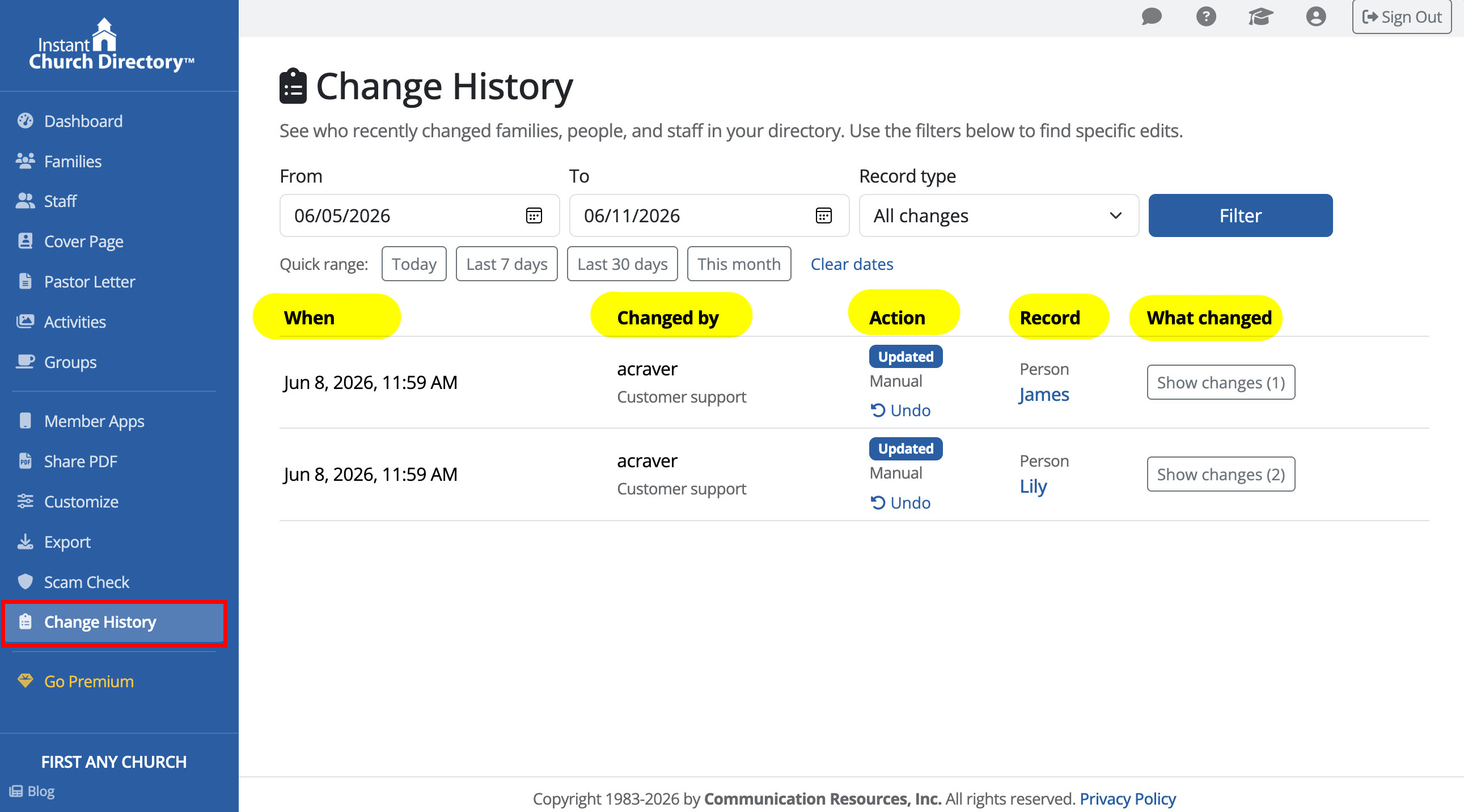
The Change History page shows a complete log of all activity across Families and Staff in one place. Use this when you're not sure where a change came from or want to review recent activity across multiple records.
- From the main navigation, click Change History.
- The log shows all recorded activity, sorted by most recent.
Each entry shows:
- The date and time of the change
- The Family or Staff record affected
- The type of action (add, update, delete, or restore)
- Who made the change
- Before-and-after values for updated fields (when available)
View history for a specific Family
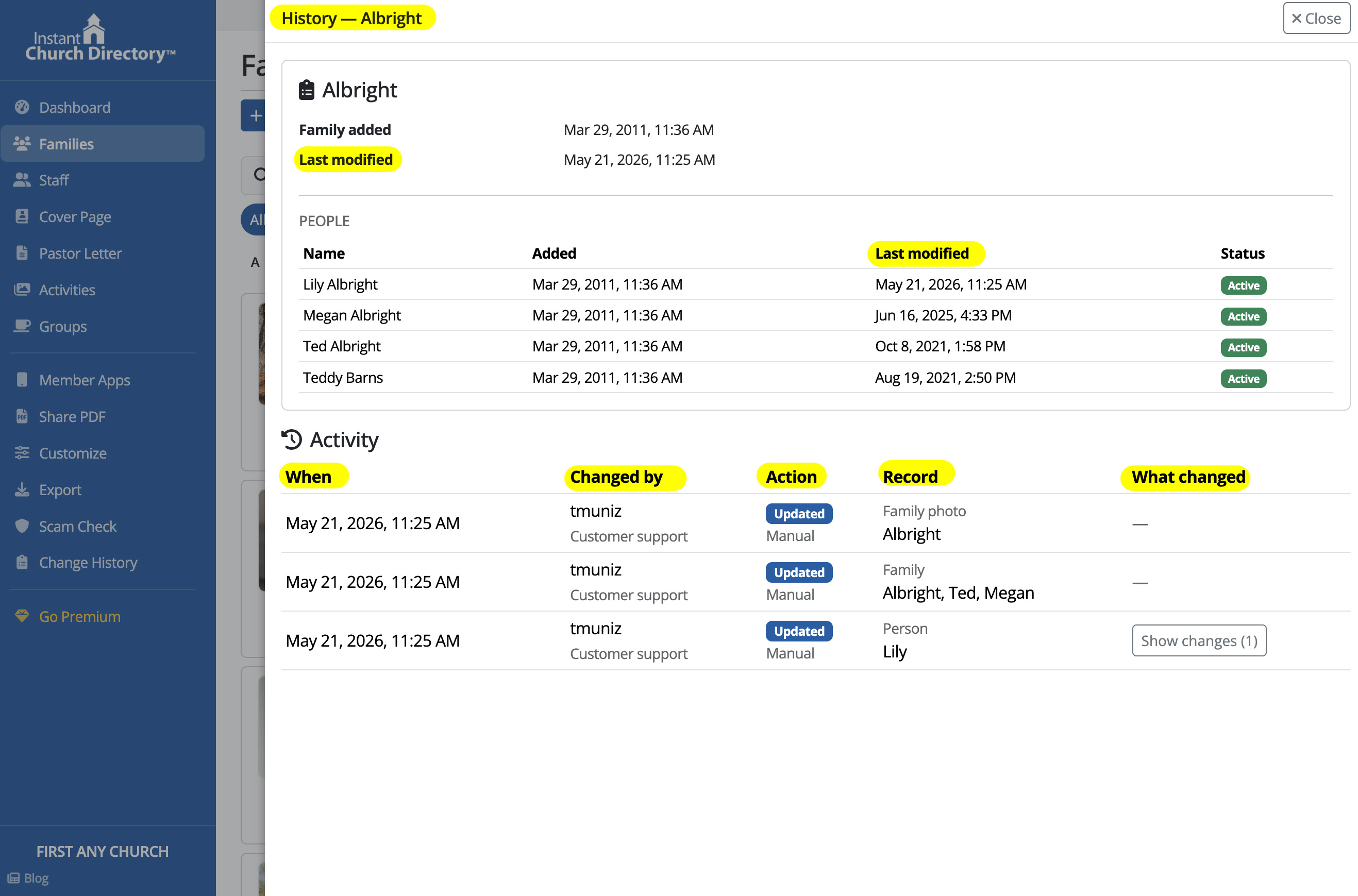
Use this when you want to review changes for one family without sorting through
the full log.
- Go to Families.
- Find the family you want to review.
- Click History on that family's card.
- The history panel opens on the right side of the screen.
You may also see related people connected to that family, including whether each
person is currently active or deleted.
View history for a specific Staff member
- Go to Staff.
- Find the staff record you want to review.
- Click History.
- The history panel opens on the right side of the screen.
View deleted records
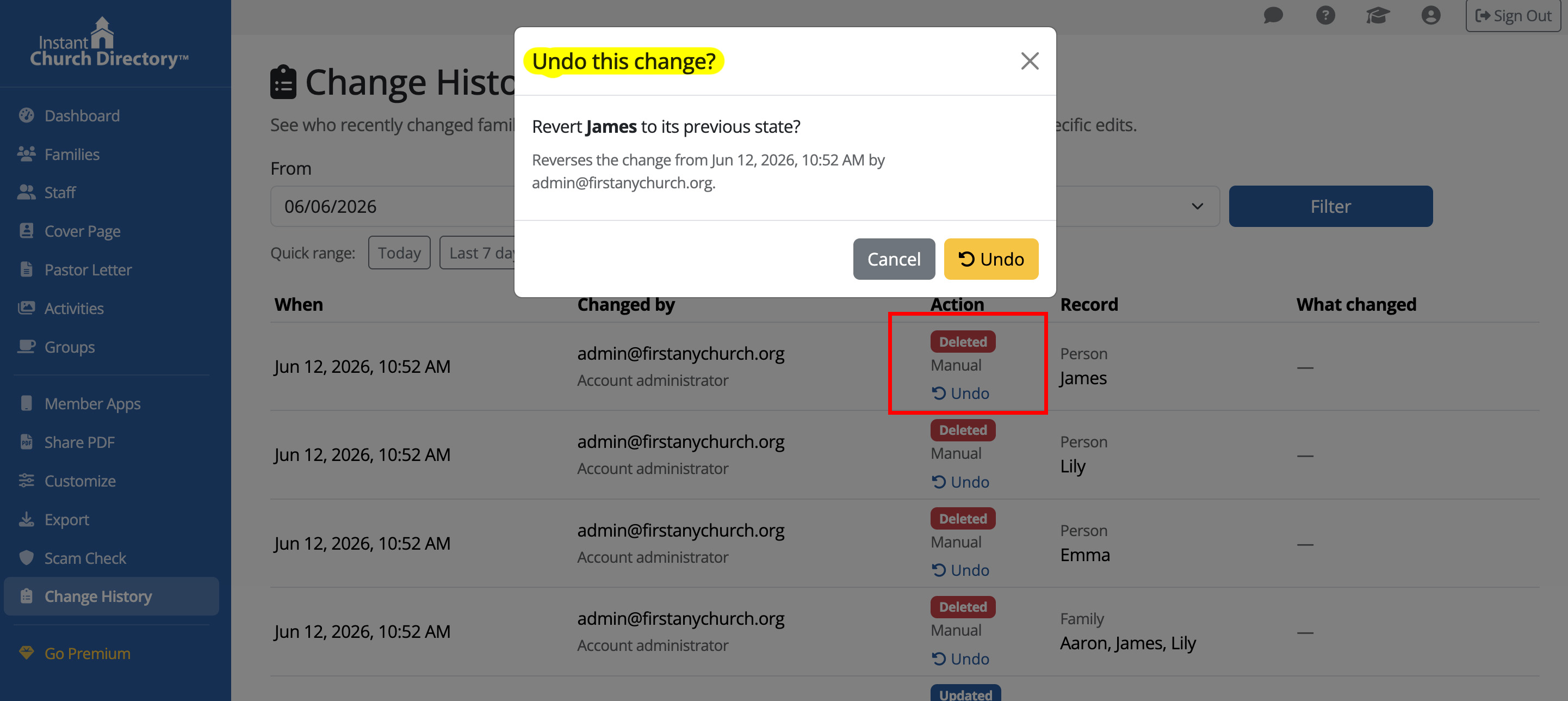
Deleted Families and Staff remain available in the Deleted view for 7 days,
giving you time to restore them if needed.
If you're trying to confirm whether a record was recently removed, check both:
- The History view on that record
- The Deleted view in the Families or Staff section
What history includes
For each Family and Staff record, history can show:
- When the record was added
- When it was last modified
- Whether it was deleted or restored
- Who made the change
- What values changed, with before-and-after comparisons when available
What history does not include yet
At this time, history does not track:
- Image and photo changes
- Group changes
Tips
- Expand any history entry to see before-and-after values for updated fields.
- Start with the Change History page if you're not sure which record was changed.
- Go directly to the record's History if a family contacts you about a specific change — it's faster and less cluttered.
- If you don't see Change History, you're likely logged in as an Editor. Only Account Owners can view history.